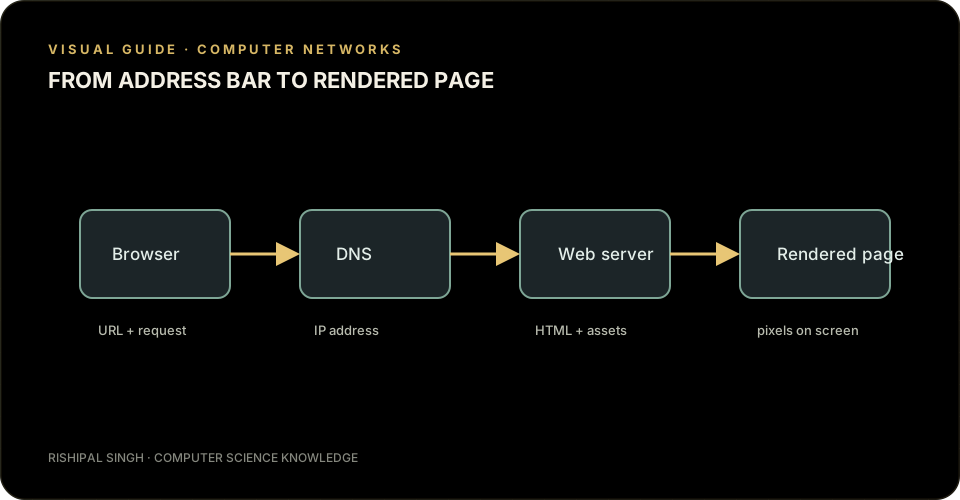
You enter example.com in your browser and press Enter. In a moment, a page appears. That small pause hides a conversation between your browser, network services, and the computer hosting the website.
1. The browser checks what it already knows
Browsers keep useful information such as cached files and recent network lookups. If a valid copy is already available, some work can be skipped. Otherwise, the browser needs to find the server responsible for the domain.
2. DNS finds the server's address
The Domain Name System (DNS) translates a readable name like example.com into an IP address computers can use to send data. Your device may ask a configured DNS resolver, which can check its cache or contact other DNS servers.
Think of DNS as a contacts list: people use names, while the network needs an address.
3. A secure connection is established
The browser connects to the server using the protocol selected by the URL. For HTTPS sites, it also performs a TLS handshake. The browser checks the site's certificate and agrees on encryption keys, helping protect information from being read or altered in transit.
4. The browser asks for the page
The browser sends an HTTP request for a resource, often the home page. The server processes it and returns a response with a status code, headers, and usually HTML. A 200 status means success; other codes may indicate a redirect, a missing resource, or a server problem.
5. The browser builds the page
The browser reads the HTML, builds a document structure, and fetches related resources such as stylesheets, scripts, and images. It calculates layout and paints pixels as useful content becomes available.
The short version
- DNS looks up the server's IP address.
- The browser connects and secures the connection with TLS when using HTTPS.
- An HTTP request goes to the server, which returns a response.
- The browser fetches resources and renders the page.
Your browser discovers where a website lives, requests what it needs, and assembles the result piece by piece.