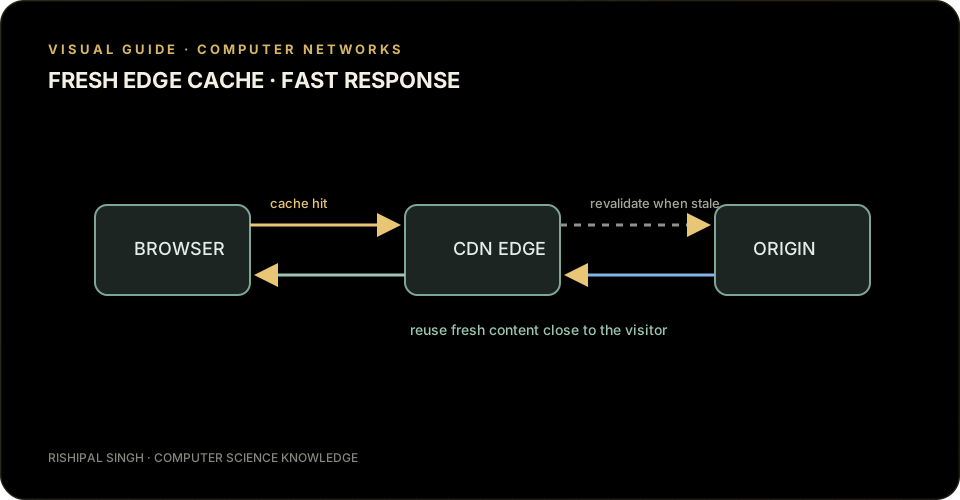
Repeating the same network request for every visitor wastes time and bandwidth. HTTP caching lets a browser or an intermediary keep a response and reuse it while it is still fresh. A content delivery network (CDN) places copies at locations closer to users, reducing the distance data must travel.
Freshness rules
A response can include Cache-Control: max-age=60, which says the representation may be reused as fresh for 60 seconds. Browser caches are private to one user. Shared caches, such as a CDN, can serve a response to many users when the response permits it. Use private for user-specific data and avoid public caching of content that contains secrets or personal information.
Cache keys matter too. A response that varies by request headers may need a Vary header so different representations are not mixed together. Caching is a correctness decision as well as a performance decision.
Validate before downloading again
When a cached response becomes stale, the browser can ask whether it changed. An ETag is a validator for a particular representation. The browser sends it back in If-None-Match. If the content is unchanged, the server returns 304 Not Modified; the cached body is reused instead of retransmitted. A Last-Modified timestamp and If-Modified-Since provide another validation mechanism.
How a CDN helps
A CDN can serve static files from an edge location near the visitor. If the edge does not have a fresh copy, it fetches or revalidates the object with the origin, then caches it according to the response's rules. Versioned asset names make long-lived caching safer: when the file changes, its URL changes too.
When a page looks stale, inspect the response's cache headers, the cache key, and whether a shared cache is allowed to store it. Those details usually explain what the browser or edge is reusing.